


Shadow Weather
4.51.54K Reviews
App Specs
- Version
- 3.6.0
- Updated On
- License
- Free
- Downloads
- 100,000+
- Developer
- Shadow Weather LLC
- Categories
- Weather
- Platform
- Android
Screenshots
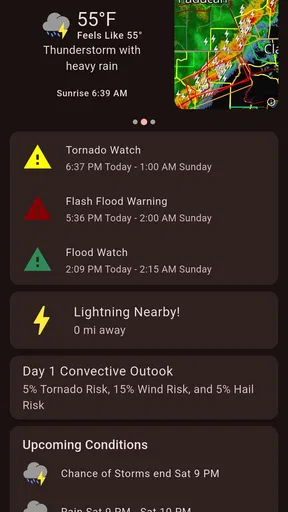
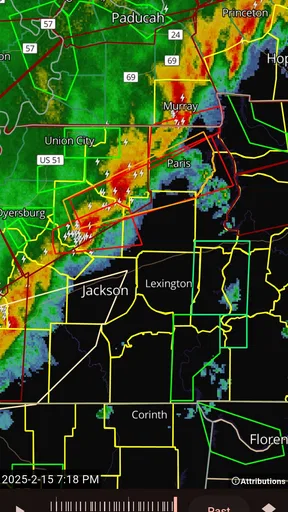
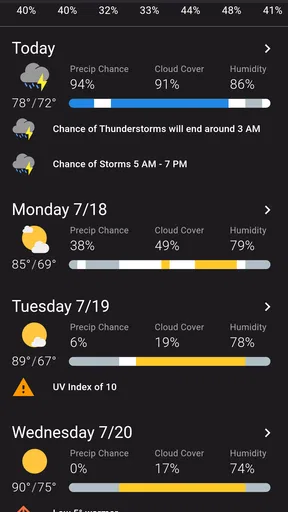
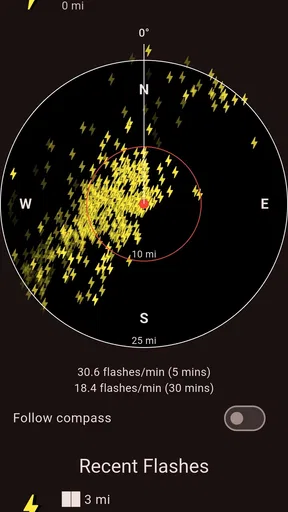
 Analysis by AppCompare
Ever had one of those days where you look out the window, see a nice sunny sky, and then five minutes later, it's pouring rain? If you're like me and constantly baffled by the weather's mood swings, Shadow Weather might just be your new best friend. I took it for a spin, and here's the lowdown.
Getting Started with Shadow Weather
First things first, downloading Shadow Weather was a breeze. It's available for both Android and iOS, so no one gets left out. Once installed, the app greets you with a clean and sleek interface. No clutter, just straight-up weather info. I can't stress enough how refreshing it is to not be bombarded with ads and unnecessary fluff right off the bat.
Features That Stand Out
Now, what really makes this app tick? Let’s dive into the features. The app offers hyper-local weather forecasts, which means it can tell you what's happening right in your neighborhood, not just your city. It claims accuracy within a mile, and from my experience, it seems to deliver on that promise.
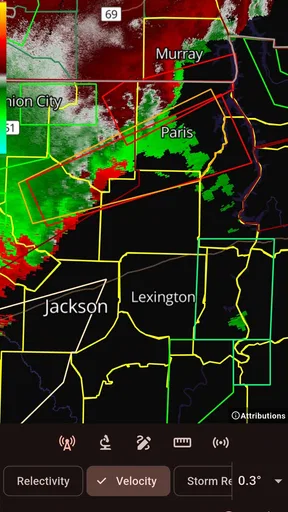
A feature that I found particularly nifty is the radar. It’s like having a mini meteorological station in your pocket. You can track storms and see weather patterns unfold live. For someone who likes to plan their day around the weather, this is pure gold.
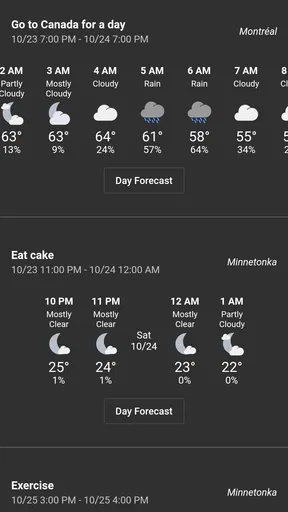
Another cool addition is the daily notifications. They're customizable, so you can set them to alert you about specific weather conditions. Want to know if it's going to rain while you're out for a jog? Shadow Weather's got you covered.
User Experience
Let’s talk about the app's usability. The navigation is intuitive, with everything clearly labeled and easy to find. Even if you're not tech-savvy, you'll have no trouble getting around. The app's design is easy on the eyes, with a dark theme that feels modern and slick.
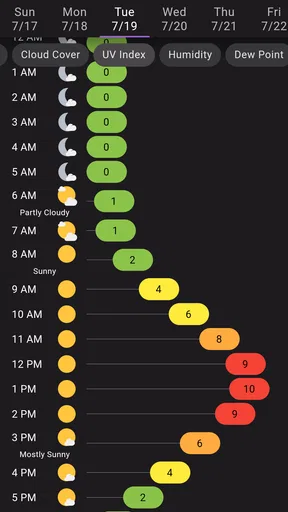
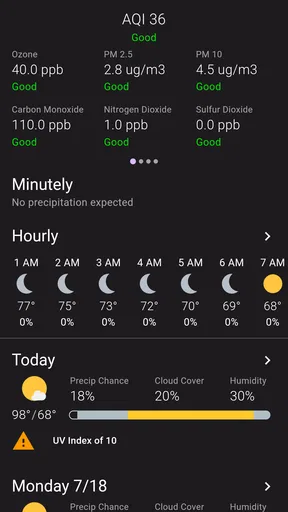
One thing I appreciated was the detailed weather breakdown. You get the basics like temperature, humidity, and wind speed, but it also provides more in-depth data for weather enthusiasts. It’s like having a weather nerd whispering in your ear, and I mean that in the best way possible.
Worth Reading Before You Choose

EA SPORTS FC Mobile 26 Is a Bigger Football Game, but It Takes Time

Flipboard Shows What News Apps Must Do Beyond the Feed

Switching to Android Auto Means Rethinking Your Driving Routine

Google Calendar Makes a Crowded Week Easier to Manage

Ludo King Makes the Most of the Minutes Between Plans

Baby Panda World Brings Quick Play to Modern Phones, but Its Game Library Feels Busy
Real-world Application
So, how did Shadow Weather perform in real life? I tested it over a week, and it was impressively accurate. There were days when it predicted rain almost to the minute, which saved me from a few soggy walks to the store. It also warned me about an unexpected cold front, so I knew to bundle up.
On a less serious note, it's also fun to play the "weather expert" among friends. Thanks to the app's radar feature, I found myself predicting rain before it hit, much to everyone's surprise. It’s a nice little party trick if you're into that sort of thing.
Final Thoughts
In conclusion, if you're looking for a reliable and user-friendly weather app, Shadow Weather is a solid choice. It combines functionality with a sleek design, offering accurate local forecasts and insightful weather data. Whether you're planning a day out or just want to avoid getting caught in a storm, this app has your back.
So, next time you're scratching your head about whether you need an umbrella or sunglasses, give Shadow Weather a whirl. You'll be the one laughing when everyone else is running for cover.
Pros
- Accurate hyper-local weather data.
- Detailed radar maps with high resolution.
- Customizable alerts for severe weather.
- User-friendly interface with smooth navigation.
- Frequent updates with new features.
Cons
- Limited free features without subscription.
- Occasional ads interrupt the experience.
- Some features require high data usage.
- Background updates can drain battery.
- No offline mode for weather updates.
FAQs for Shadow Weather
What features does Shadow Weather offer compared to standard weather apps?
Shadow Weather provides hyper-local forecasts, real-time radar, severe weather alerts, and detailed air quality information. Unlike standard weather apps, it offers customizable weather maps and interactive radar imagery, allowing users to track storms and weather patterns with precision. This makes it ideal for users who need detailed weather insights.
Is Shadow Weather free to use, or does it require a subscription?
Shadow Weather is available as a free download with basic features. However, to unlock advanced features such as ad-free experience, extended forecast data, and enhanced radar capabilities, a subscription is required. Users can choose between monthly or yearly plans to access these premium features.
How accurate are the weather forecasts provided by Shadow Weather?
Shadow Weather is known for its high accuracy due to its use of multiple data sources, including NOAA and other reputable meteorological services. The app offers minute-by-minute precipitation forecasts and hyper-local climate data, ensuring users receive the most up-to-date and precise weather information available.
Can I customize the alerts in Shadow Weather?
Yes, Shadow Weather allows users to fully customize their alerts. You can set notifications for specific weather conditions such as rain, snow, or severe weather warnings. This customization ensures that users are only notified about weather changes that are relevant to their needs and preferences.
Does Shadow Weather offer integration with other apps or devices?
Shadow Weather supports integration with various smart home devices and platforms, such as Google Assistant and Amazon Alexa. This allows users to receive weather updates and alerts directly on their smart devices, making it easy to stay informed without constantly checking the app.


